

You've seen it. A job post demanding "5 years of React experience" for an entry-level role paying $38,000. Or an "unpaid internship" that somehow requires a master's degree. These aren't flukes — they're patterns, and they waste your time, kill your confidence, and sometimes signal something far worse, like an outright scam. Knowing the process to highlight job posting issues isn't just useful. It's how we push back, protect each other, and force accountability into a system that often operates without it.
Table of Contents
- What you need before highlighting job posting issues
- Step-by-step process to highlight job posting issues on job platforms
- How to report job scams and fraudulent postings effectively
- Understanding platform policies and what happens after you report
- Common mistakes to avoid and pro tips for effective reporting
- Why highlighting job posting issues is only part of the solution — and what really needs to change
- Get support and hold hiring platforms accountable with Job Gatekeeping
- Frequently asked questions
Key Takeaways
| Point | Details |
|---|---|
| Prepare detailed reports | Gather precise job posting info like title, URL, and specific issue descriptions before reporting to ensure your concern is actionable. |
| Use official flagging tools | Report problematic job postings through the platform’s structured flagging or reporting systems for faster review and moderation. |
| Report scams to authorities | For suspected scams, also file reports with the FTC to help law enforcement investigate and protect others. |
| Expect platform review processes | Platforms acknowledge and investigate reports, often removing or restricting fraudulent or misleading postings based on findings. |
| Avoid direct employer contact | Do not contact employers directly before reporting to reduce risk of retaliation and let Trust & Safety handle enforcement. |
What you need before highlighting job posting issues
Before you flag anything, gather your evidence. Think of it like building a mini case file. Platforms won't act on vague complaints. The more specific you are, the faster a real human on a Trust & Safety team can act. As Simplify recommends, treat your report like a document: capture the job title, a direct URL or reference number, and describe exactly what makes the posting unreasonable using the platform's own issue categories.
Here's what to pull together before you start:
- Job title and employer name (exactly as listed)
- Posting URL or job ID (copy it before the post disappears)
- Screenshots of the specific text that's problematic — requirements, salary claims, contact instructions
- Notes on what issue type fits best — inaccurate info, misleading salary, fake company, discriminatory language, or unreasonable requirements
Use our job posting checklist to make sure you haven't missed anything before filing.
Common issue types you'll encounter:
| Issue type | What it looks like |
|---|---|
| Inaccurate information | Salary listed doesn't match actual offer |
| Expired posting | Job was filled months ago but still live |
| Scam or fraud | Asks for personal info or upfront payment |
| Unreasonable requirements | Entry-level role needs 7+ years experience |
| Discriminatory language | Age, gender, or appearance preferences stated |
| Misleading job title | "Manager" role with intern responsibilities |
Pro Tip: Don't wait for the posting to be taken down before you screenshot it. Scam postings and gatekeeping ads vanish fast once heat comes their way. Grab your evidence immediately.
With these essentials in hand, you're prepared to start the actual process of highlighting the problems in a job posting.
Step-by-step process to highlight job posting issues on job platforms
Every major platform has a reporting workflow. They're not always obvious, but they're there. Here's how to navigate them without wasting time. 🚨

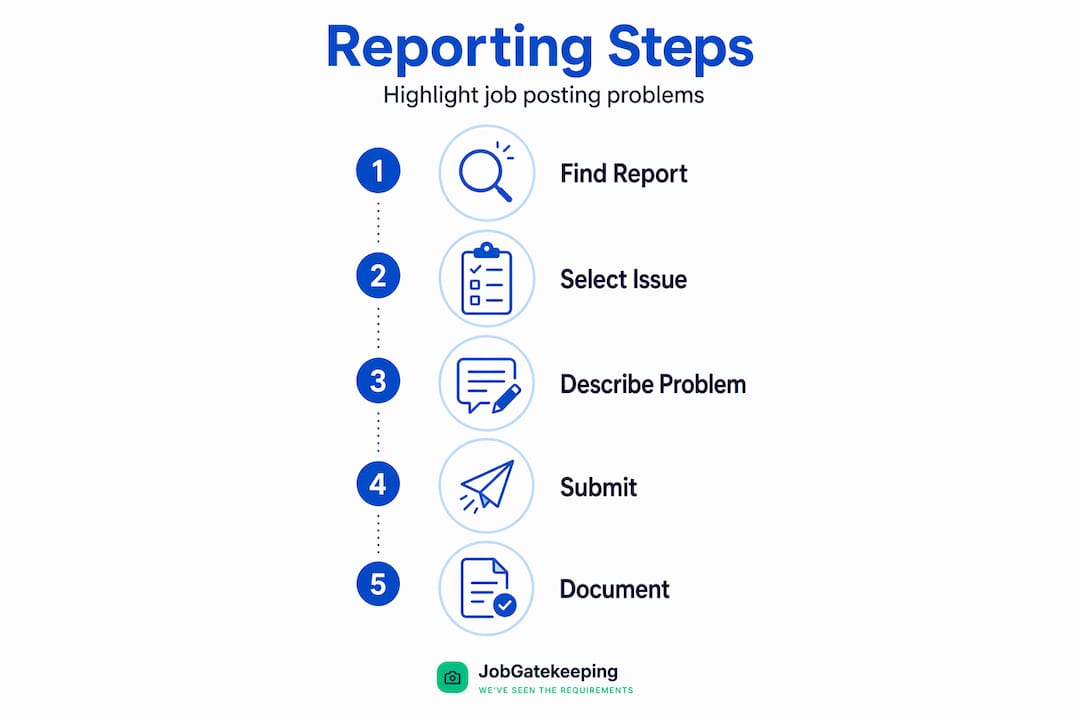
01. Find the flag or report option Look for three dots ("..."), a flag icon, or a "Report" link near the job title or employer name. On most platforms, it's tucked into a dropdown. Don't expect it to be front and center.
02. Pick the most accurate issue type This is critical. Simplify's report workflow requires choosing an issue type, selecting applicable sub-issues, and adding a brief description before submitting. Vague selections like "Other" without explanation get deprioritized.
03. Use the description field — actually use it Write one to three sentences. Be direct. "This entry-level posting requires 6 years of Salesforce experience and offers no salary range. This is gatekeeping and likely discourages qualified applicants." Clear, factual, specific.
04. Submit and document your report Take a screenshot of your confirmation screen. Note the date and time. Platforms typically send a confirmation email. Keep it.
How platforms compare on reporting:
| Platform | Where to report | Review time | Employer notified? |
|---|---|---|---|
| Handshake | Flag icon on employer page | Within 1 hour, resolved 1-2 days | Only if suspended |
| Simplify | Report button on job card | Varies by issue type | Varies |
| Flag on job post | Typically 3-5 days | Not disclosed | |
| Indeed | Report Job button | Varies | Not disclosed |
Handshake is notably transparent: Trust & Safety begins review within one hour and wraps up most cases within 1-2 business days. Crucially, the employer isn't notified when you flag them — only when they're actually suspended. That matters. It protects you.
Pro Tip: When reporting unfair job ads, always match your complaint to the platform's listed issue categories. Reports that align with existing categories get routed faster and taken more seriously than freeform grievances.
Now that you know the core steps on major platforms, let's look at how to handle the more serious cases — fraud and scams.
How to report job scams and fraudulent postings effectively
Some postings aren't just annoying. They're dangerous. 🔥 Fake job scams are designed to steal your personal information or money. The FTC has been clear: don't reply to unexpected job offer texts and never pay to get a job. If a "recruiter" DMs you out of nowhere promising $80/hour for part-time remote work, that's a trap.
Here's how to handle these situations:
- ✗ Do not respond to unsolicited job texts, emails, or WhatsApp messages from unknown senders
- ✗ Never share your Social Security number, bank details, or ID documents unless you've fully verified the employer
- ✗ Don't pay upfront for equipment, training, or "background check fees" — legitimate employers don't ask for this
- ✓ Document everything — save message screenshots, note sender contact info, log dates
- ✓ Report to the FTC at ReportFraud.ftc.gov — it's the most direct federal channel
- ✓ Report on the platform where you found the posting simultaneously
"Never pay to get a job. Legitimate employers, including the federal government, will never ask you to pay to get a job. If anyone does, it's a scam." — FTC Consumer Advice
The FTC isn't just a form you fill out and forget. Reports go to over 2,800 law enforcement partners who use that data to investigate and prosecute fraud. Your single report contributes to a larger pattern that can shut down entire scam operations.
For guidance on spotting these before they get dangerous, check our guide on how to protect from exploitative postings.
Beyond scams, some platforms maintain formal fraud policies that shape how your reports are handled and what kind of response you can expect.
Understanding platform policies and what happens after you report
Filing a report isn't the end — it's the beginning of a process. Knowing what happens next helps you set realistic expectations and avoid the frustration of silence. Here's how platforms typically handle it:
01. Acknowledgment Most platforms send an automated confirmation. Keep this. It's your proof that you reported.
02. Initial review A Trust & Safety team member reviews the report against the platform's posting standards. They're looking for reasonable grounds — meaning the concern is credible and specific.
03. Assessment and action Platforms like Workland acknowledge receipt, review grounds, and remove or restrict postings when warranted. They may also reach out to the posting organization for verification before pulling it down.
04. Resolution You may or may not hear back directly. That's frustrating, but it's standard. Most platforms don't loop reporters into the resolution out of privacy concerns for all parties involved.
What this means for you: your report absolutely matters, even when it feels like nothing happened. Patterns of reports on the same employer or posting accelerate action. One flag is a data point. Ten flags on the same listing is a red alert. Learn more about common job posting transparency issues and how to combat discriminatory postings to keep pushing.
Common mistakes to avoid and pro tips for effective reporting
Most people mess up the same things. Here's what to watch for when you're in the process of filing:
- ✗ Contacting the employer directly before reporting. This tips them off and can expose you to retaliation. File first, always.
- ✗ Using vague language in your description. "This job seems fake" doesn't give a reviewer much to work with. Be specific and factual.
- ✗ Continuing contact with suspected scammers after you've flagged them. Stop engaging immediately. Every reply is a risk.
- ✗ Using informal channels — like emailing platform support instead of using the structured report tool. The formal tool routes to the right team.
- ✓ Always include the URL of the specific posting, not just the company name.
- ✓ Match your description to the platform's issue categories as closely as possible.
On the employer notification question: employers aren't notified when you flag them. They're only looped in if a suspension is being processed. That's a deliberate design choice to protect reporters and preserve the integrity of the review. Use it to your advantage — flag without fear.
Pro Tip: Use fair hiring reporting tips to build a repeatable habit. The more fluent you get at identifying and reporting issues, the faster you protect yourself and others.
Why highlighting job posting issues is only part of the solution — and what really needs to change
Here's an uncomfortable truth: reporting works, but it's inherently reactive. You report a bad posting after it's already harmed someone. Maybe after dozens of people wasted hours applying, gave away personal data, or got ghosted by a company that never intended to hire them. The report is the cleanup crew. The damage is already done.
The bigger problem is that most platforms rely on users to police content they should be screening before it goes live. When we report, we're essentially doing unpaid moderation work for billion-dollar platforms. That's worth naming directly.
What would actually move the needle? Proactive auditing. Platforms that automatically flag postings requiring excessive experience for entry-level roles, or listings with no salary range in regions where pay transparency is legally mandated. Some platforms are starting to do this — but slowly, and often without enforcement teeth.
The hiring industry also lacks standardized posting requirements. There's no universal rule that says an "entry-level" role can't demand seven years of experience. That absurdity exists because nothing stops it. Until hiring platforms commit to real posting transparency and fair standards are enforced, the burden stays disproportionately on job seekers.
The good news? Collective visibility creates pressure. When hundreds of people see a ridiculous posting called out publicly, employers feel it. When communities document patterns, journalists write about them. When enough reports pile up on a single company, platforms act faster. That's the power of community-driven accountability. Individual reports matter, but collective noise matters more. For practical ways to apply this, explore these hiring transparency tips and keep building the pressure together.
Get support and hold hiring platforms accountable with Job Gatekeeping
Tired of job postings that demand the impossible and offer almost nothing in return? You're not alone — and you don't have to scroll in silence. 🔥
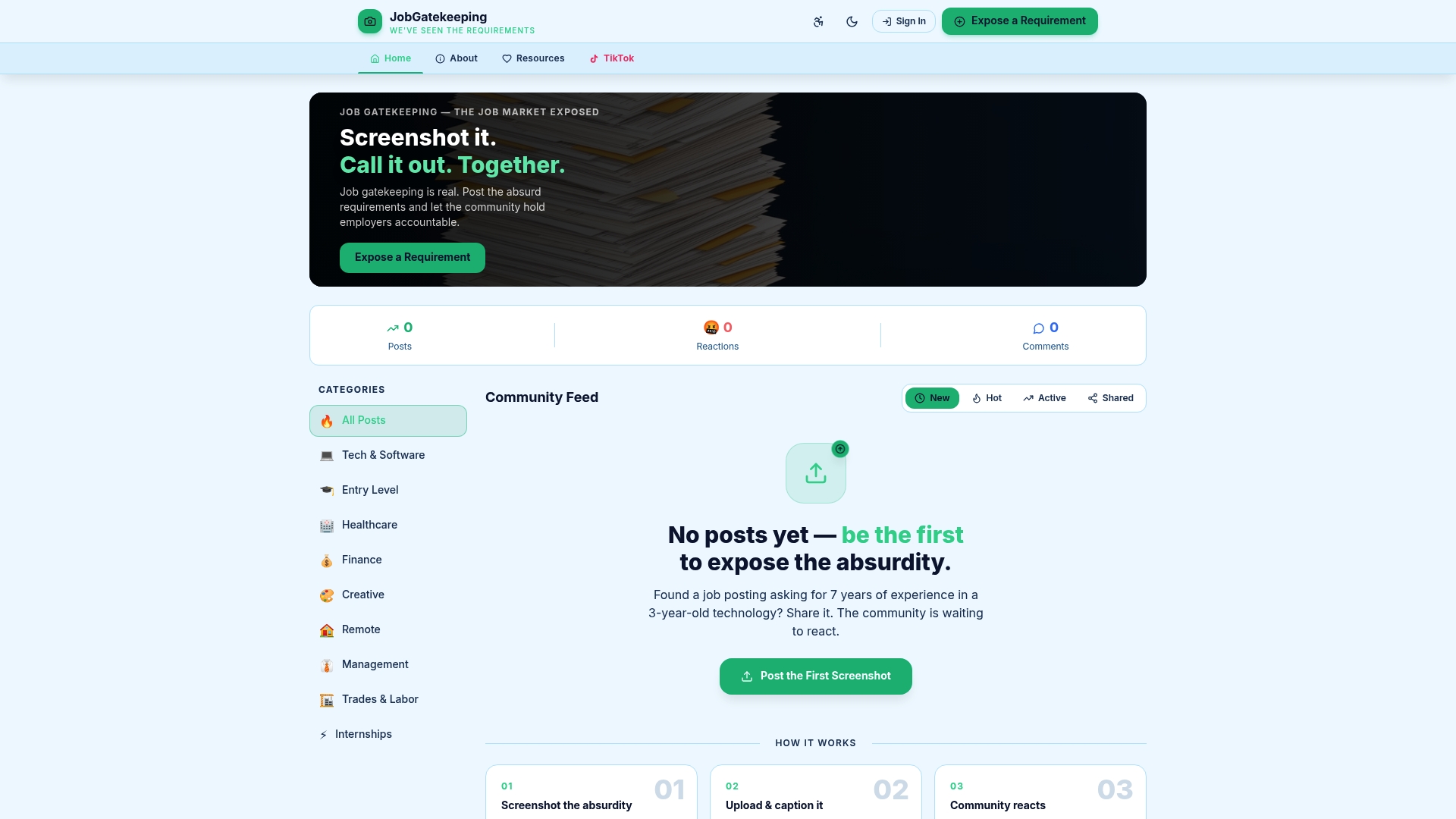
At Job Gatekeeping, we've built a space where job seekers can anonymously expose absurd, misleading, or exploitative job postings. Upload your screenshot, write your caption, and let the community react. Outrage, laughter, solidarity — it's all here. Beyond the community feed, we offer guides, checklists, and resources to help you identify job posting problems, analyze job listing errors, and fix job ad discrepancies through proper channels. Together, we make the ridiculous visible and the unfair accountable. Come add your voice.
Frequently asked questions
What details should I include when reporting a problematic job posting?
Include the job title, employer name, posting URL or ID, and a clear description of what makes the posting problematic. Evidence like screenshots helps platforms review your report faster and take appropriate action.
Will the employer know if I report their job posting?
Typically, no. Employers aren't notified when you submit a flag or report. They're only informed if enforcement actions like suspension are initiated, which protects you from retaliation.
Where can I report job scams beyond the job platform?
Report job scams directly to the Federal Trade Commission at ReportFraud.ftc.gov. The FTC shares reports with 2,800+ law enforcement partners who investigate and act on patterns of fraud.
What should I do if I receive a suspicious job offer text message?
Do not reply. Never send money or personal information. Report the scam to the FTC immediately, and flag the original listing on the platform where you found it.
How long does it usually take for a job platform to review my report?
It depends on the platform. Handshake is one of the fastest: Trust & Safety begins review within one hour and wraps up most cases within 1-2 business days.