

You've been there. You spend 45 minutes tailoring a cover letter, only to realize the listing asked for 7 years of experience for an "entry-level" role paying $36,000. That's not a gap in your qualifications. That's a broken listing. This guide to critiquing job listings exists because your time and energy deserve better. We're walking through how to analyze job postings before you invest a single minute applying, so you stop chasing dead ends and start recognizing the listings worth your effort.
Table of Contents
- Key takeaways
- Your guide to critiquing job listings: the essentials first
- How to actually analyze and critique requirements
- Evaluating how employers ask you to apply
- Documenting issues and pushing for fair hiring
- Mistakes to avoid when critiquing listings
- My take on why this skill changes everything
- Take your critiques further with Jobgatekeeping
- FAQ
Key takeaways
| Point | Details |
|---|---|
| Separate must-haves from nice-to-haves | Identify core requirements versus padding to decide if applying is worth your time. |
| Red flags signal bigger problems | Vague responsibilities, missing pay, and requests for personal info early are all warning signs. |
| Discriminatory language is illegal | Age limits, disability questions, and protected-class bias in job ads violate federal law. |
| Document what you find | Screenshot and save problematic listings so you can report them or share with the community. |
| Critique first, apply second | Analyzing a listing before applying saves time and helps you write a stronger application. |
Your guide to critiquing job listings: the essentials first
Before you can call out a bad listing, you need to know what a good one looks like. Think of it as your baseline. When a listing is missing key components, that absence tells you something.
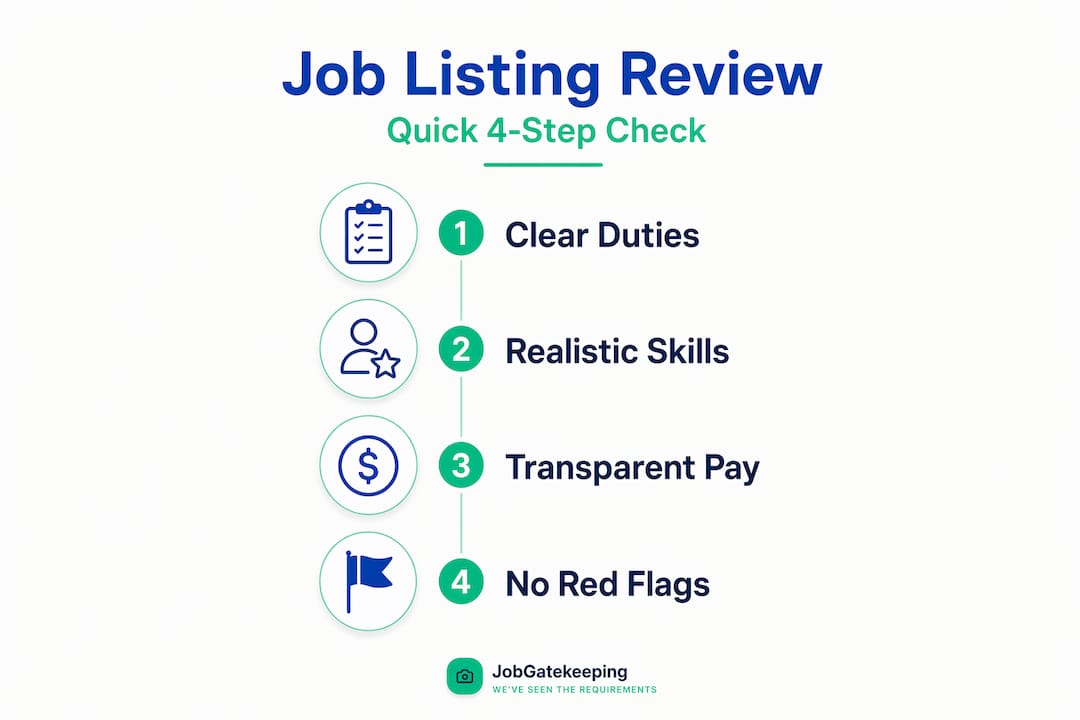
A solid job posting should include clear responsibilities, specific qualifications, a realistic experience range, compensation details, and application instructions. That's the floor. Listings that skip salary, use copy-paste generic duties, or bury the application steps are already showing you something about how that employer operates.
Here's a quick checklist of what to look for and what to watch out for:
| Element | Green light ✓ | Red flag ✗ |
|---|---|---|
| Job responsibilities | Specific, outcome-focused duties | Vague phrases like "other duties as assigned" dominating the list |
| Requirements | Matched to actual job level | Demanding 5+ years for a junior title |
| Compensation | Salary range included | "Competitive pay" with no numbers |
| Application steps | Clear instructions, direct portal | Email a resume to a Gmail address |
| Contact info | Company domain email or portal | Personal email, no company name visible |
| Language | Neutral, skills-focused | Age, physical ability, or family-status references |
Missing one or two of these items doesn't automatically disqualify a listing. But missing half the core items usually means you shouldn't apply.
Pro Tip: Copy the full listing into a plain text document before you analyze it. Listings get edited or taken down, and you'll want a record if something looks off.
Pay attention to contradictory language too. A listing that says "entry-level" in the title but asks for AWS Certified status and 5 years of DevOps experience is sending mixed signals. That contradiction is worth flagging, not explaining away.
Scam listings are a real concern. The FTC warns that job scam listings often ask for your Social Security number or bank account details before any real interview stage. Legitimate employers don't need that information upfront. Period.
How to actually analyze and critique requirements
This is where your job listing critique techniques get specific. You're not just skimming for a vibe. You're running a structured review.

01. Build two parallel lists. On one side, write down the job outcomes. What is this person actually being hired to do? On the other, list the qualifications being asked for. Experienced job seekers build dual lists to check whether the qualifications actually map to the outcomes.
02. Flag the mismatches. If the outcomes are "support customer service tickets" and "maintain spreadsheets," but the requirements include React experience and a computer science degree, that mismatch is a problem. Either the listing was copy-pasted from the wrong template, or the company doesn't understand what they're hiring for.
03. Separate must-haves from padding. Separating "must-have" from "nice-to-have" is one of the most practical steps you can take. Words like "required," "must have," and "minimum" signal non-negotiable criteria. Words like "preferred," "a plus," and "familiar with" are negotiable. Don't self-reject over the second category.
04. Check for seniority mismatches. Sometimes a listing's "must" requirements bundle multiple skills that imply a much higher seniority level than the job title suggests. If the title says "Coordinator" but the requirements read like a Director-level role, that's a red flag worth calling out.
05. Look for discrimination red flags. Federal law is clear here. Job ads cannot discriminate on the basis of race, sex, age, disability, national origin, or religion under Title VII, ADA, ADEA, and GINA. Age preferences in listings are generally illegal under the ADEA unless a very narrow occupational exception applies. Disability-related questions before a job offer are also prohibited. If you spot language like "recent graduates only," "must be able to lift 50 pounds" for a desk job, or "young, energetic team," that's a compliance issue.
Wording to watch for in listings you're critiquing:
- ✗ "Recent graduate preferred" (age proxy)
- ✗ "Must be physically fit" (for sedentary roles)
- ✗ "Native English speaker required" (national origin proxy)
- ✗ "Looking for someone hungry and driven" (used to screen out older workers)
Pro Tip: After critiquing a listing, use what you found to tailor your application. If the listing buries its real must-haves in the third paragraph, open your cover letter by addressing those directly. That's how you evaluate entry-level job posts with strategy, not guesswork.
Evaluating how employers ask you to apply
The application process itself is a window into how an employer actually operates. Sloppy or sketchy instructions tell you a lot before you ever send a resume.
Here's what to check when evaluating job descriptions effectively:
- Does the listing direct you to a real company portal? Direct portals are preferable. A listing that routes you to a no-name Google Form or asks you to email a personal Gmail account should raise your eyebrows. Legitimate companies have HR infrastructure.
- Are the instructions specific or vague? Listings that say "email your resume and cover letter with the subject line 'Application: Marketing Manager'" are testing whether you can follow directions. Listings that just say "apply here" with no further detail signal a disorganized hiring process.
- Do the application steps match the role level? Asking an entry-level candidate to complete a full case study, unpaid project, or multi-stage assessment before any screening call is exploitative. That work has value. You shouldn't give it away for free.
- Can you verify the company exists? Look up the employer independently. Check LinkedIn, Glassdoor reviews, and the company's official website. Search the company name alongside "review" or "scam" to see what surfaces. If the company's web presence is thin or contradictory, that's a problem.
Pro Tip: When you recognize exploitative job postings, screenshot them immediately. Listings get edited or pulled when they get attention. Your screenshot is evidence.
One more thing worth noting: companies that ask for your Social Security number, bank account details, or a fee to process your application during the listing or early outreach stage are operating outside normal hiring behavior. The FTC is direct about this. You should never pay to get a job, and sharing sensitive financial details before receiving a legitimate offer puts you at real risk.
Documenting issues and pushing for fair hiring
Critiquing a listing is the first step. What you do with that critique matters too.
When you spot something that crosses a line, document it carefully:
- Save the full listing text with a timestamp.
- Screenshot the original URL and the listing content together.
- Note any specific language that appears discriminatory or misleading.
- Record the date you found it and where it was posted.
That documentation becomes useful in multiple contexts. If the listing contains discriminatory language that violates federal law, you can file a charge with the EEOC at eeoc.gov. For scam listings, report to the FTC at reportfraud.ftc.gov. For listings on specific job boards, most platforms have a "report this listing" option that puts the post under review.
"Calling out a bad listing isn't just venting. It's advocacy. Every documented report makes the hiring ecosystem a little less hostile to the next person who sees that same posting."
You can also contact the employer directly. This sounds counterintuitive but sometimes works. A short, professional email noting that a listing appears to include age-related language or asks for qualifications that don't match the role can prompt a quiet edit. Don't expect a response. But occasionally, HR teams genuinely don't realize what their automated systems or junior recruiters have posted.
The most powerful move, though? Share it publicly. On Jobgatekeeping, you can call out unfair job postings by uploading a screenshot with a caption. The community reacts, validates your experience, and adds visibility to patterns that individual reports miss. Collective accountability works.
Mistakes to avoid when critiquing listings
Knowing the red flags matters. So does knowing when you're over-reading a listing.
- Don't self-reject over one missing qualification. If you meet the core requirements and are missing one "preferred" item, apply. Studies consistently show that some groups self-reject far more aggressively than others based on imperfect fit.
- Don't treat every red flag the same. A missing salary range is annoying and worth noting. A request for your bank account number before an interview is dangerous. Scale your reaction to the severity of the issue.
- Don't ignore your own signals. If a listing leaves you feeling confused about what the job actually is, that confusion is data. Unclear listings often mean unclear roles, and unclear roles mean unclear expectations once you're hired.
- Don't spend equal time on every listing. Build a quick filtering habit. Spend 90 seconds on a first pass. If it clears basic standards, spend five more minutes on the deep critique. You'll save hours every week.
Pro Tip: Ask smart questions about job requirements before deciding a listing isn't worth your time. Sometimes a single clarifying question to a recruiter tells you more than a 20-minute deep-read of the listing ever would.
My take on why this skill changes everything
I've watched job seekers spend weeks applying to listings they never should have touched, while skipping listings that would have been a genuine match. The conventional advice to "apply anyway" is often wrong. Not always. But often.
What I've found is that the job seekers who get the best outcomes aren't necessarily the most qualified. They're the most discerning. They've learned to read a listing the way a contractor reads a blueprint: looking for gaps, inconsistencies, and unrealistic specs before agreeing to do the work.
The part that frustrates me most is how normalized absurd listings have become. When a company posts an "entry-level" role demanding five years of experience and fluency in six software tools, most job seekers assume they're the problem. They're not. The listing is the problem. And being able to name that clearly is a form of self-defense.
I also think there's something deeply worth doing in the advocacy side of this work. Every time someone shares a discriminatory listing, reports a scam, or publicly calls out gatekeeping behavior, they make it marginally harder for the next employer to get away with it. That's not dramatic. It's just true.
Develop your critique skills. Use them every time you open a job board. And share what you find with communities that can amplify it.
— Steggy
Take your critiques further with Jobgatekeeping
You've got the skills. Now use them where they count.
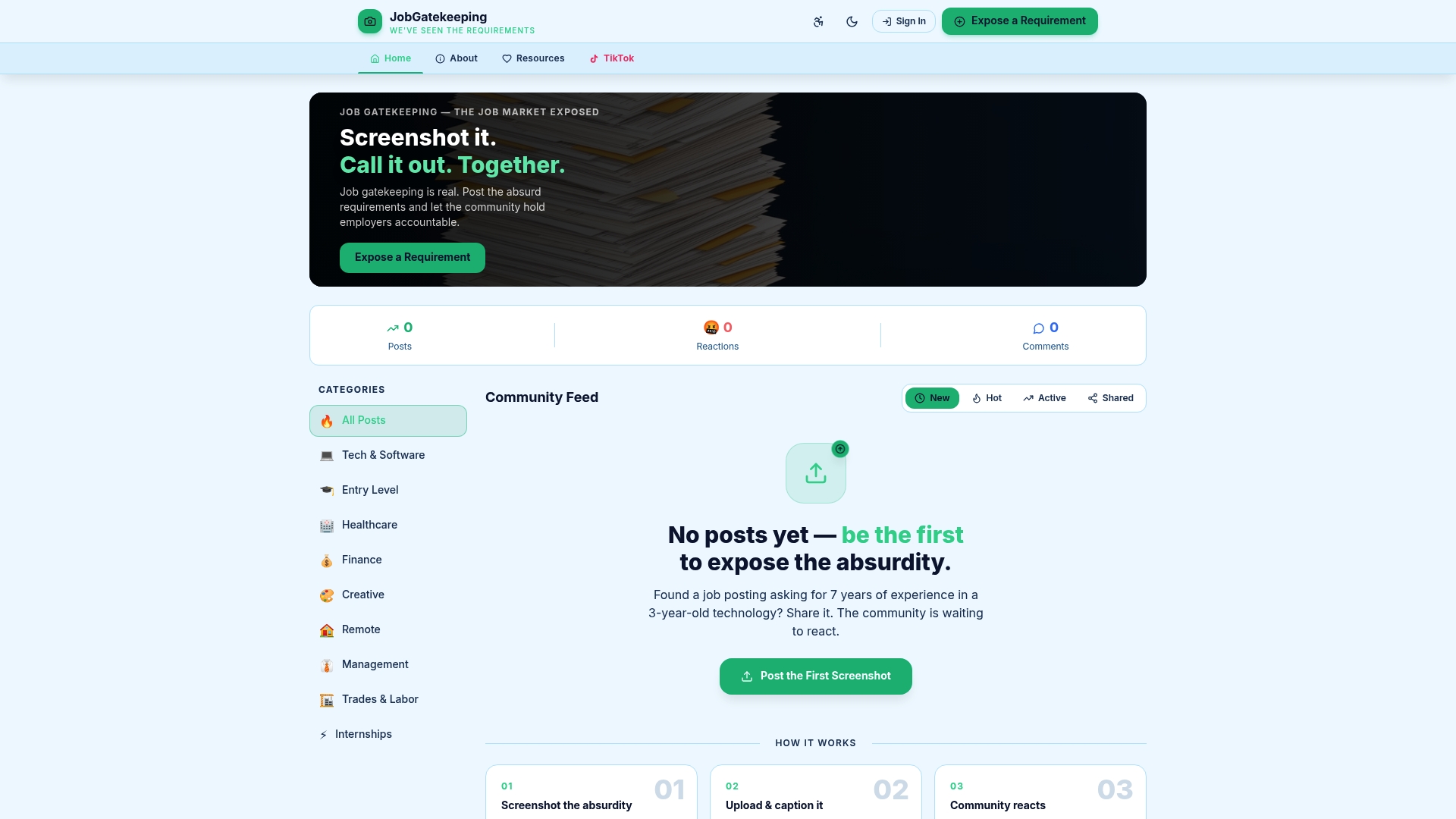
Jobgatekeeping exists precisely for this: a community where job seekers expose absurd, gatekeeping, and discriminatory listings in real time. You find the listing. You screenshot it. You upload it with a caption that calls out exactly what's wrong. Then the community reacts, piles on, and builds a public record of the problem. That collective record matters. It raises awareness, validates job seekers who felt alone in their frustration, and puts employers on notice.
Head to Jobgatekeeping to start sharing what you're finding. The more we document together, the harder it gets to keep these practices hidden.
FAQ
What are the biggest red flags in a job listing?
The biggest red flags include requests for sensitive personal information before any interview, salary descriptions like "competitive" with no numbers, mismatched experience demands for the role level, and vague or copy-paste job responsibilities. Any of these signals a listing worth scrutinizing closely.
Is it legal for job ads to mention age preferences?
No. The Age Discrimination in Employment Act prohibits age preferences in job notices except in very narrow cases where age is a genuine occupational requirement. Phrases like "recent grad preferred" or "young team" can constitute illegal age discrimination.
How do I report a discriminatory or scam job listing?
For discriminatory listings, file a charge with the EEOC at eeoc.gov. For scam listings requesting personal or financial information, report to the FTC at reportfraud.ftc.gov. You can also report directly to the job board where the listing appeared.
Should I apply if I don't meet every requirement listed?
Yes, if you meet the core must-have requirements. Missing one or two preferred qualifications is normal and not a reason to skip an otherwise strong match. Only skip if you're missing half or more of the core criteria.
What makes a job listing critique useful for advocacy?
A strong critique includes the full listing text, a screenshot with the URL, specific problematic language highlighted, and the date and platform where you found it. That documentation is usable for EEOC reports, FTC complaints, and community sharing on platforms like Jobgatekeeping.