

You've seen it. A job posting demanding 10 years of experience for an "entry-level" role, a listing with no company name, or a sketchy "recruiter" asking for your Social Security number before the first interview. Knowing how to anonymously report job postings is one of the most powerful tools job seekers have right now. Consumers lost $12.5 billion to fraud in 2024, and a chunk of that came through fake and fraudulent job ads. You deserve to fight back without putting your career on the line.
Table of Contents
- Key takeaways
- What you need before submitting an anonymous report
- Step-by-step guide to submitting anonymous reports
- Common mistakes that can blow your cover or tank your report
- What happens after you report, and how to track it
- My honest take on reporting job postings anonymously
- Expose bad job postings with Jobgatekeeping
- FAQ
Key takeaways
| Point | Details |
|---|---|
| Document everything first | Screenshots, URLs, and timestamps make your anonymous report far more effective than vague descriptions. |
| Use external channels | Government agencies like the FTC offer more retaliation protection than internal company hotlines. |
| Anonymity has real limits | Choosing to stay anonymous means agencies may not be able to follow up, so thorough documentation matters even more. |
| Two-way messaging helps | Some platforms support encrypted two-way messaging, so investigators can ask questions without revealing your identity. |
| Keep reporting even without feedback | Agencies often act on patterns across multiple reports, so your submission counts even without confirmation. |
What you need before submitting an anonymous report
Before you report anything, get organized. Walking into a report empty-handed is one of the biggest mistakes job seekers make. Without solid evidence, your submission gets flagged as low-priority and likely nothing happens.
Here is what you need to collect:
- Screenshot of the full job posting, including the job title, requirements, company name (or lack of one), and the date it was posted
- The URL of the listing on the platform where you found it
- Any communications you received from the employer, including emails, text messages, or LinkedIn DMs
- Dates and timestamps for when the posting appeared and when you first made contact
- Transaction records if you were asked to pay for anything (a massive red flag 🚨)
- Names or contact info the poster provided, even if they look fake
Detailed evidence including screenshots and timestamps greatly helps law enforcement act on job scam reports. Without it, you are basically handing investigators a "he said, she said" situation. They need specifics to move.
Pro Tip: Before uploading screenshots anywhere, strip the metadata from image files. Tools like ExifTool (free) or your phone's built-in share settings can remove location data and device info that could inadvertently identify you.
Once you have your evidence, decide where you want to report. Here is a quick comparison of your two main routes:
| Route | Best for | Anonymity level | Follow-up possible? |
|---|---|---|---|
| Internal (employer/platform) | Misleading but non-criminal postings | Low to medium | Sometimes |
| External (FTC, DOJ, state agency) | Fraud, identity theft, or scam postings | High | Rarely |
| Third-party platform (e.g., Jobgatekeeping) | Absurd requirements, gatekeeping, public shaming | High | Community-driven |
If you are dealing with an outright scam, go external. External reporting reduces retaliation risk significantly compared to internal channels, especially when an employer could potentially identify you as the source.
To identify whether a posting is outright fraudulent or just unfair, learn how to recognize exploitative job postings before you start the reporting process. Knowing the difference changes everything about which channel to use.
Step-by-step guide to submitting anonymous reports
Ready to actually file a report? Here is how to do it without leaving a trail. 🔥
01. Find the right channel for your situation
Not all bad job postings go to the same place. Outright scams and fraudulent job ads belong at the FTC (reportfraud.ftc.gov), the FBI's Internet Crime Complaint Center (IC3.gov), or your state's Attorney General office. Job boards like LinkedIn, Indeed, and ZipRecruiter also have built-in "report" buttons on listings. For absurd or gatekeeping-style postings you want to publicly expose, Jobgatekeeping is the place.

02. Set up your anonymous digital environment
Use a browser you do not regularly sign into. Better yet, use a privacy-focused browser like Firefox with tracking protection enabled, or access the reporting form through a VPN. Do not file a report from your work computer or work network. 72% of professionals now verify job legitimacy before applying, but protecting yourself during reporting is equally important.
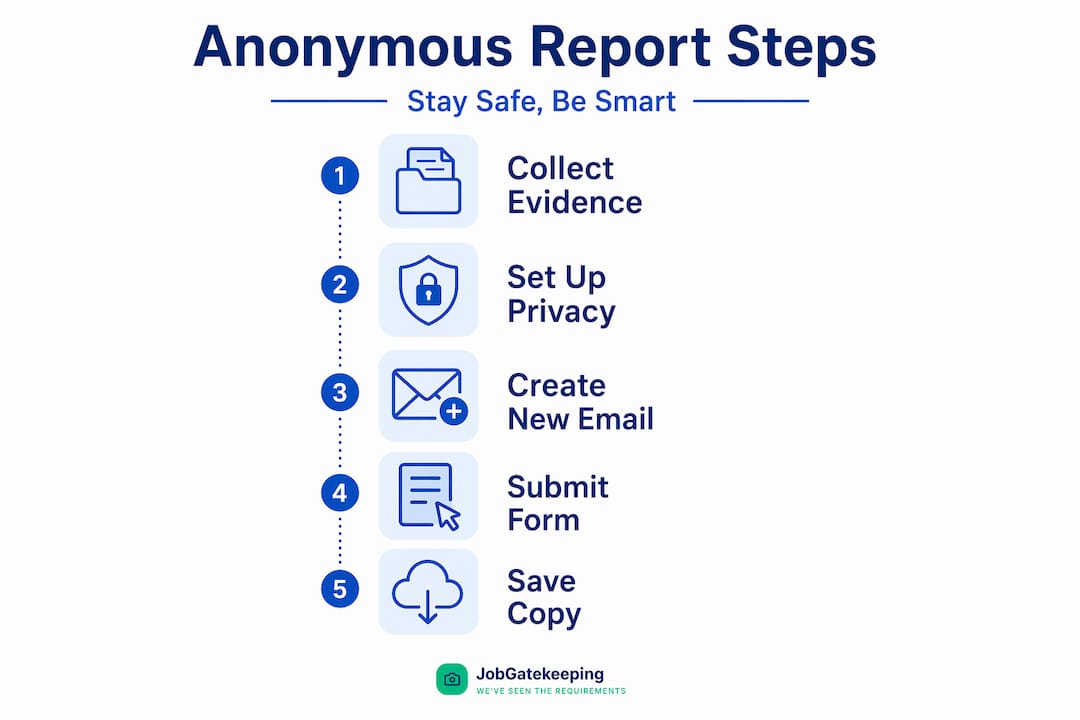
03. Create a separate email address if needed
Some platforms ask for an email to confirm submission. Create a throwaway address through ProtonMail or a similar service that does not require personal info to sign up. Do not use your real name or anything that connects back to you.
04. Fill out the form with helpful but non-identifying detail
Describe the job posting, the platform it appeared on, the red flags you noticed, and any contact you had with the poster. Stick to facts. Avoid saying things like "I applied and then my colleague Sarah also noticed this." That kind of detail narrows down who filed the report fast.
05. Attach your stripped evidence
Upload your metadata-free screenshots or paste in the relevant links and communication text. The FTC allows anonymous fraud report submission through its secure portal, but note that it typically does not accept document attachments and cannot follow up if you stay anonymous.
06. Use two-way messaging features when available
The best anonymous reporting systems support encrypted two-way messaging, meaning investigators can ask follow-up questions without ever knowing who you are. If the platform you are using offers this, opt in. It dramatically increases the chance your report leads to real action.
07. Save a copy of your submission
Screenshot or save the confirmation page. Keep copies of everything you submitted in a secure, private folder. You will want this if you ever need to escalate or reference the original report.
Pro Tip: Many state Attorneys General have specific online portals for reporting employment fraud. Search "[your state] + report job fraud" to find yours. These offices often move faster than federal agencies on local employer complaints.
Common mistakes that can blow your cover or tank your report
Even well-intentioned people mess this up. Here are the traps to avoid when trying to report job postings anonymously. 👇
- Including personal details without thinking. Mentioning you applied on a specific date, worked with a specific recruiter, or referenced a conversation only you had with the employer can instantly identify you. Treat every detail as potentially traceable.
- Using a personal device on your home or work network. IP addresses can be subpoenaed. If you are reporting a potentially criminal posting, use a VPN or a public network you do not regularly use.
- Submitting reports with no evidence. Anonymity trades off feedback opportunity for privacy, which means if your report lacks substance, agencies have almost nothing to work with. Hollow reports rarely go anywhere.
- Forgetting that "blind" job listings can be traps. Some employers post fake job listings to identify employees who are actively looking to leave. If the listing has no verifiable company contact, tread carefully before engaging further. Report it, but do not apply.
- Reporting internally when retaliation is a real risk. If you are currently employed by the company or have an ongoing relationship with the recruiter, prioritize external agency reporting over the company's own HR hotline. HR protects the company, not you.
"The moment you think 'no one will figure out it was me,' is exactly when you should double-check for identifying details. Retaliation does not always look obvious, and it does not always come fast."
Back up everything you submit in a private cloud folder or encrypted drive. If an agency does not respond and the posting reappears, you want a record of your original report to reference and escalate.
What happens after you report, and how to track it
Filing the report is not the end of the process. Here is a realistic look at what tends to follow. 📋
| Outcome type | Likelihood | What it means for you |
|---|---|---|
| No response from agency | Very common with anonymous reports | Not unusual. Agencies aggregate reports and act on patterns, not individual cases. |
| Listing removed by platform | Moderate, especially on major job boards | Your report triggered a review. The posting may come down within days. |
| Investigation opened | Less common but possible with strong evidence | Agencies may begin a formal inquiry. You will not be notified if you stayed anonymous. |
| Employer fined or charged | Rare but real | Happens when multiple reports pile up on the same actor. Your submission contributes to that pattern. |
| Two-way messaging follow-up | Only on platforms that support it | If your reporting tool offers encrypted messaging, an investigator may ask clarifying questions. |
The honest truth is that choosing anonymity means agencies cannot easily follow up, which limits how far a single report can go. But here is the thing: agencies watch for patterns. If five people report the same recruiter for the same scam, that cluster of reports triggers real action even when none of them left contact info.
Keep documenting. Every time you spot a suspicious listing, grab a screenshot, drop it in your evidence folder, and add it to your report or file a new one. You are building a case, even when it does not feel like it. For more on flagging problem postings effectively, check out this job seeker's reporting guide.
My honest take on reporting job postings anonymously
I've spent enough time watching job seekers try to "do the right thing" and get burned for it to have a pretty clear view of this process. Anonymous reporting is worth doing. It is also imperfect, and pretending otherwise would be doing you a disservice.
What I've seen work best is the "document first, decide later" approach. Collect your evidence before you even decide whether to report. Once you have solid screenshots and a saved URL, your options open up. You can go to the FTC, report it to the job board, share it on a platform like Jobgatekeeping, or all three.
What I've noticed about agency responsiveness is that it is frustratingly inconsistent. The FTC and state AGs do act, but usually on clusters of complaints rather than individual ones. That can feel discouraging. My take: file anyway. The pile matters even when the individual grain does not feel significant.
The biggest lesson I keep coming back to is this. Internal reporting is almost always the wrong move when your employment or professional reputation is at stake. The retaliation risk is real and it does not always look like a firing. It can look like being passed over, given less, or quietly edged out. External channels are safer. Use them.
And beyond the official channels, community exposure through platforms like Jobgatekeeping creates accountability that government agencies simply can't move fast enough to deliver. Public pressure works. It always has.
— Steggy
Expose bad job postings with Jobgatekeeping
You have done the research. You know what to look for and how to report it. Now put that outrage to work. 🚨
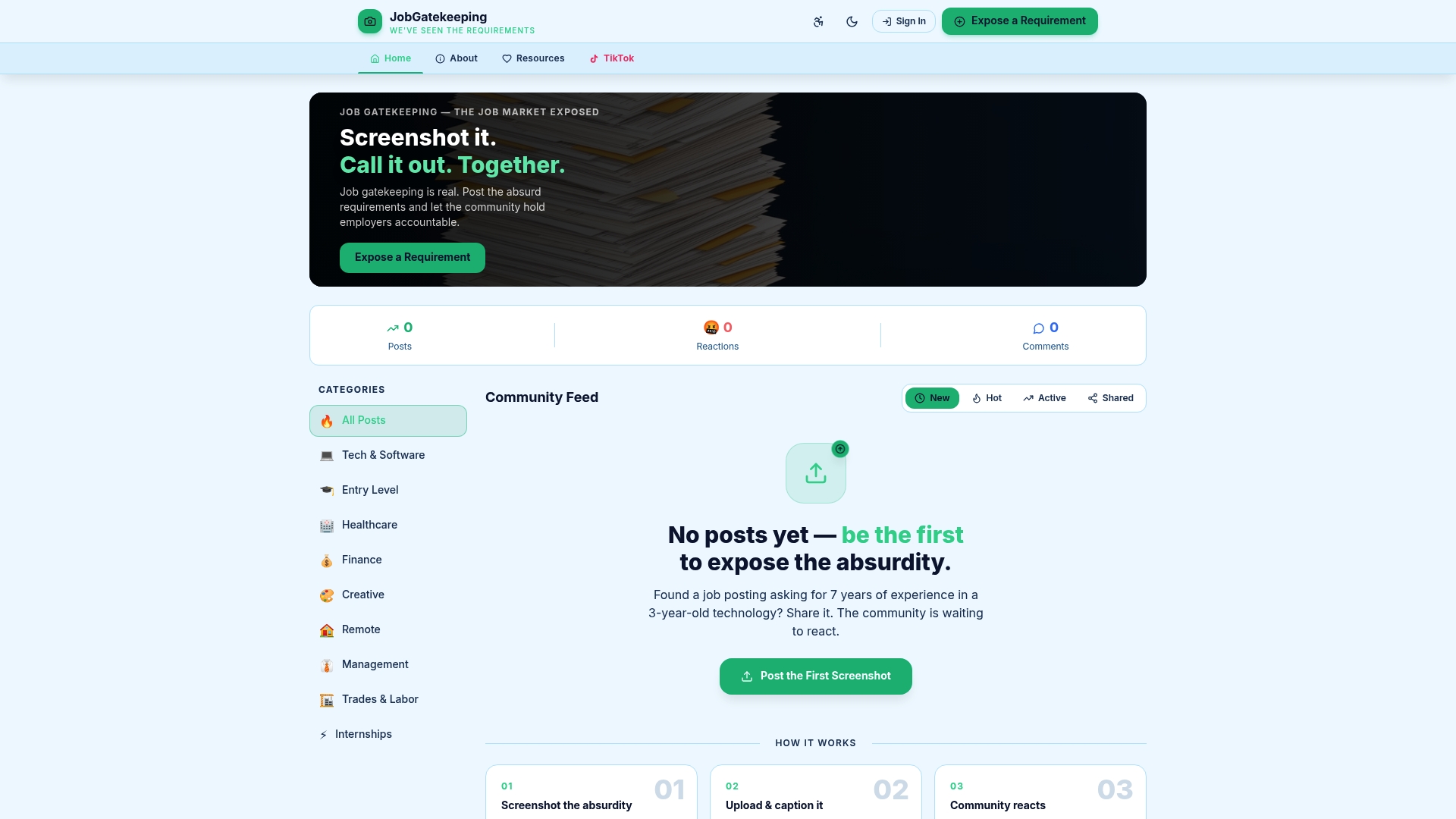
Jobgatekeeping is built for exactly this. You spot an absurd job listing demanding "5 years of experience in a 2-year-old technology" or an unpaid internship dressed up as an "opportunity." You grab a screenshot, upload it to Jobgatekeeping with a caption calling it out, and the community reacts. Real people sharing real frustrations, creating real accountability. No need to go it alone, no risk of individual exposure, just collective calling-out that keeps hiring practices honest. Learn more about spotting unfair job ads and start contributing to a fairer hiring ecosystem today.
FAQ
How do I report a fake job posting anonymously?
Go to reportfraud.ftc.gov or your state's Attorney General portal, complete the online form without entering personal contact details, and include screenshots and URLs as evidence. Avoid submitting from a personal device or home network to keep your identity protected.
Can I report job scams anonymously to the FTC?
Yes. The FTC accepts anonymous fraud reports through its secure online portal. Just know that the FTC cannot follow up with you if you do not provide contact information, so make your submission as detailed as possible.
What are the biggest red flags in a fraudulent job ad?
Key warning signs include free email domains used as contact addresses, no verifiable company name or address, upfront payment requests, and vague job descriptions. Common scam indicators also include unsolicited offers and unusually high pay for low-skill roles.
Will I face retaliation for reporting a job posting?
If you report externally through government agencies, retaliation risk is low because your identity is protected. Internal company channels carry higher risk. External reporting is safer for anyone currently employed by or actively interviewing with the company in question.
What if I never hear back after filing my report?
That is normal for anonymous submissions. Agencies often act on patterns across multiple complaints rather than responding to individual reports. Keep documenting suspicious postings and filing reports. Your submission contributes to a larger picture investigators are watching.